
Types of Variables in JavaScript
In the previous tutorial, we have learned to declare variables in JavaScript using var keyword and initialize a value to it. Now, we will understand the types of variables in JavaScript and their scopes.
There are two types of variables in JavaScript that are as follows:
- Global variable
- Local variable
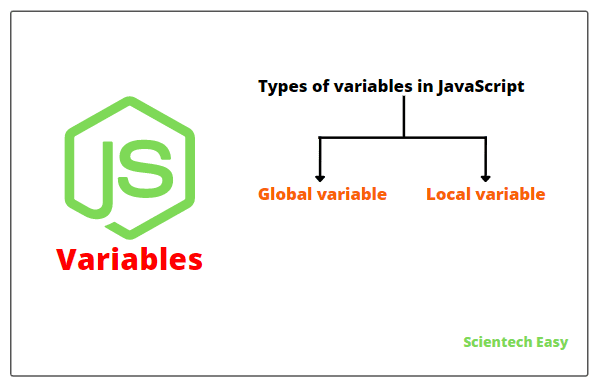
Let’s understand one by one with the help of example programs.
Global Variable in JavaScript
A global variable is a variable that is defined in the main part of the script but outside the function. In other words, a variable defined outside the functions is called global variable in JavaScript.
It exists everywhere in the entire JavaScript code. That is, we can access a global variable throughout the JavaScript program. We can use them anywhere, even within functions.
A global variable is erased when we close the web page. An example of creating a global variable with var keyword in the main script, outside any functions is as follows:
var studentAge = 25;
This statement declares a variable called studentAge and assigns it a value of 25. Here, the var keyword can be optional, so this statement is equivalent to the previous one:
studentAge = 25;
Actually, it is a good practice to always use the var keyword to avoid errors and make the script easier to read.
Let’s take a very simple example program where we will declare a global variable and access it from outside the function and inside the function. Look at the script code to understand better.
Example 1:
<script>
// Declare a global variable.
   var message = "This is a global variable, and you can access it anywhere.";
// Create a function named display.
   function display() {
      document.write(message); // Accessing global variable from inside the function.
   }
   document.write(message, "<br>"); // Accessing from outside the function.
   display(); // Calling function.
</script>
Output:
       This is a global variable, and you can access it anywhere.
       This is a global variable, and you can access it anywhere.
In the above code, we have declared a variable message outside the function that displays a message on the webpage. As you can observe, we have accessed global variable from inside the function and outside the function.
Local Variable in JavaScript
A local variable is a variable that is defined inside the body of the function with var keyword. It can be used or accessed only within the function where it is defined in.
An example of creating a local variable using var keyword inside the function is as follows:
function showMe(){
  var localVariable = "I am local variable";
}
In this example, we have defined a variable localVariable having a value “I am local variable”. It is a local variable, as it has contained within a specific function. When the execution of a function completes, JavaScript interpreter deletes the local variables from the memory.
Additionally, the variables declared in the parameter list of function are always local variables and define only within the body of the function.
If we declare a local variable or functional parameter inside the body of a function with the same name as the global variable, a local variable takes precedence over a global variable. In this case, we are hiding the global variable.
Let’s create a simple program in which we will declare both local and global variables, access them, and display their messages.
Example 2:
<script>
// Declare a global variable and assign it a value.
var message1 = "This is a global variable, and you can access it anywhere.";
// Create a function named display.
function display() {
  // Declare a local variable and assign it a value.
     var message2 = "This is a local variable, and you can access it only inside the function."
     document.write(message2); // Accessing local variable from inside the function.
}
document.write(message1 +"<br>"); // Accessing the global variable.
display(); // Calling function.
</script>
Output:
          This is a global variable, and you can access it anywhere.
          This is a local variable, and you can access it only inside the function.
Let’s take another simple program in which we will declare two global variables and two local variables within a function. One of the global and local variables will share a common name student2.
Example 3:
<script>
// Declare global variables.
   var student1 = "John";
   var student2 = "Larry";
// Create a function named showMe.
   function showMe()
   {
     var student2 = "Harry"; // Here, local variable is sharing the same name as global variable.
     var student3 = "Deep";
     document.write(student2+ " " +student3+ "<br>");
   }
 showMe(); // calling function.
 document.write(student1+ " " +student2);
</script>
Output:
       Harry Deep
       John Larry
In the above script code, when we have called variable student2 from the function, the value of local variable has displayed. But when we called student2 from the global script, the value of global variable has displayed on the web page.
Thus, having two variables with the same name is always confusing. Therefore, it is the best practice to use unique names for all variables to avoid confusion.
Scope of Variables in JavaScript
Variable scope in JavaScript is a location (or region) of the program (script) in which it has defined. In other words, the scope of variable is the location from which we can access its value.
Global Scope
When we define a variable in the main part of a script code (outside the function), it has global scope. We can access it from everywhere in the JavaScript program.
All the functions in the program can access global variables that are defined in the main body. For example, in the below code, we have defined a global variable msg on the first line of the script. We can access it inside the function.
var msg = "Global variable";
function displayMe(){
     alert(msg);
}
displayMe(); // It will display "Global variable".
This function does not have any parameters and does not declare any local variable inside it. So, when the function will be called, an alert dialog with the text “Global variable” will appear.
Local Scope
When we define a variable inside the JavaScript function, then it has local scope. We can access it only within the body of the function.
Since it is only visible within the body of JavaScript function, the main script and other functions cannot see or access this variable.
Let’s take an example based on it.
Example 4:
<script>
 var scope = "Global scope"; // Declaration of global variable.
// Create an outer function.
  function showMe() {
    var scope = "Local scope"; // Declaration of local variable.
// Create an inner function named nested.
   function nested()
   {
     var scope = "Nested scope"; // A nested scope of local variable.
     document.write(scope); // It will print "Nested scope".
     document.write("<br>");
   }
   nested(); // calling inner function.
  }
  showMe(); // calling outer function.
  document.write(scope); // It will print "Global scope".
</script>
Output:
       Nested scope
       Global scope
In the above script code, we have nested the function definitions. Each function has its own local scope, so we can nest several layers of local scope.
No Block Scope in JavaScript
Unlike C, C++, and Java programming languages, JavaScript has no block-level scope. All variables defined in JavaScript, no matter where they declared, define throughout the function.
Let’s understand this concept with the help of an example.
Example 5:
<script>
 var scope = "global";
 function showMe()
 {
   document.write(scope); // It will display "undefined", not "global".
   var scope = "local"; // Here, we have initialized variable and defined everywhere.
   document.write(scope); // It will display "local".
 }
 showMe(); // function calling.
</script>
The first statement within function will display “undefined” value, not global because we have defined the local variable throughout the body of function, which means global variable having the same name has hidden throughout the function.
Although the local variable will not initialize until the var statement does not execute.
The code written inside the function is equivalent to the following code:
function showMe()
{
   var scope;
   document.write(scope);
   document.write("<br>");
   scope = "local";
   document.write(scope);
}
Hence, it is the best programming practice to put all variable declarations together at the beginning of any function.
Hope this tutorial has covered almost all the important points related to types of variables in JavaScript with example programs. I hope that you will have understood the scope of global and local variables nicely.
Thanks for reading!!!


