
A blog that draws a crowd deserves a home built for visitors. Every new subscriber, share, and comment proves that your content has found its audience. The next decision shapes how that audience experiences each page you publish. Selecting the best hosting for WordPress at this stage means matching server strength to reader demand, not to a launch day budget.
Growth also changes who manages the website. Founders hire freelancers, and agencies assume responsibility for client blogs. These teams need multiple projects, clear permissions, and responsive support in one plan.
The best WordPress hosting for agencies shares many traits with the ideal plan for a busy solo publisher, and this article covers both. Each section below adds one item to a checklist for every renewal.
What Does Growth Demand?
Traffic growth pressures a server in three areas: processing power, memory, and bandwidth. Shared plans divide these resources among hundreds of accounts, which means a neighbor’s spike slows your pages.
A Deloitte and Google study of retail websites found that a 0.1 second speed improvement lifted conversions by 8.4 percent. Small gains carry real value for a blog with a growing audience.
Google rates a Largest Contentful Paint under 2.5 seconds as good, and that benchmark gives you a clear target. Record your monthly visits, peak hour traffic, and average page weight before you compare any plan. These numbers turn a vague sense of slowness into a requirement every host must meet.
Which Hosting Type Fits?
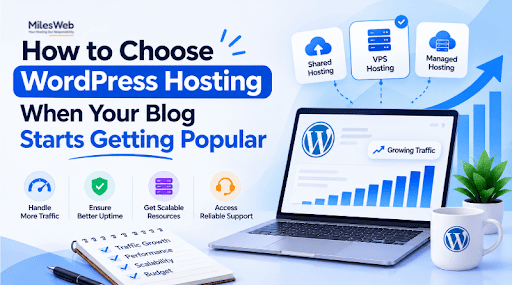
Three hosting types cover most growing blogs, and each matches a different stage of readership.
Shared Hosting
Shared plans suit blogs with roughly 20,000 monthly visits. Traffic at that level rarely needs dedicated capacity. Resource limits arrive quickly after a viral post, which makes this tier a starting point. Read the fair usage policy closely, because it defines how much traffic the plan truly supports.
VPS and Cloud
A virtual private server reserves CPU and memory for one website. Cloud plans extend that idea by adding servers as demand rises. Both suit blogs with steady traffic, newsletter spikes, or growing membership areas. More control also means more server tasks to manage.
Managed WordPress
A managed host takes care of WordPress core updates, caching, and security scans, leaving your team free to write. Agencies prefer this model because updates reach every client account, and each installation follows one standard.
Budget planning completes the decision. Compare the renewal price, not only the introductory rate, because many plans rise significantly after the first term. A realistic monthly cost for the next twelve months prevents an unplanned migration later.
Which Features Matter Most?
A hosting plan earns its price through the features behind it. The checklist below covers the seven that matter most for a growing blog.
- Speed: Server-level caching, NVMe storage, and a built-in content delivery network come first.
- Security: A web application firewall, malware scanning, and free SSL certificates form the essentials.
- Staging: A staging area tests theme changes before readers see them.
- Scaling: An upgrade path that works within minutes protects every launch, newsletter feature, and product release.
- Support: Ask provider teams how fast their engineers reply and how well they know WordPress. Expert staff on live chat resolve problems in minutes, but a slow ticket queue can lose readers. Evaluate the support channel before making a commitment.
- Uptime: A 99.9 percent commitment still means roughly nine hours of downtime across a year, which makes the compensation terms worth reading as carefully as the promise itself.
- Resource limits: Image libraries, plugins, and embedded video raise server demand further, and each plan applies different limits to them.
How Do Agencies Choose?
Agencies manage many websites, which makes workflow as important as raw speed. Look for a single dashboard, role-based team access, white label options, and one-click staging. Resource isolation keeps one client’s traffic spike from slowing another client’s pages. MilesWeb includes free professional email accounts and daily backups, additions that suit client projects well.
Billing structure matters as well. Per client invoicing, transferable accounts, and transparent upgrade pricing keep agency budgets predictable as the client list grows. Ask about average ticket response time before signing, because proactive human support decides most agency renewals.
How to Migrate Safely?
Schedule the migration during your quietest hours, usually late evening in your main reader time zone. Please ensure to take a full backup, move data files to the new server, and lower your DNS TTL a day in advance.
Open the new website at its temporary URL. Forms, galleries, and permalinks break most often during a move, which justifies a manual test before DNS changes.
Please cancel the old account only after a full week of direct speed comparisons. A newsletter note before the migration prepares readers, and an announced maintenance window usually retains a blog’s loyal audience. A planned migration protects rankings and keeps readers engaged.
Concluding Insights
Readers reward websites that respond instantly, and search rankings follow readers. Infrastructure that meets this demand ensures that every new subscriber, partnership, and traffic record has a website capable of handling it. Measure demand, match the hosting type, verify features, and test support before committing.
MilesWeb supports bloggers and agencies alike from the first hundred visitors to the first million. Each new reader proves the blog works, and the right hosting plan sustains that momentum.